


UXPort
The Little Black Box with Big Benefits

State-of-the-Art Solution
Product Overview
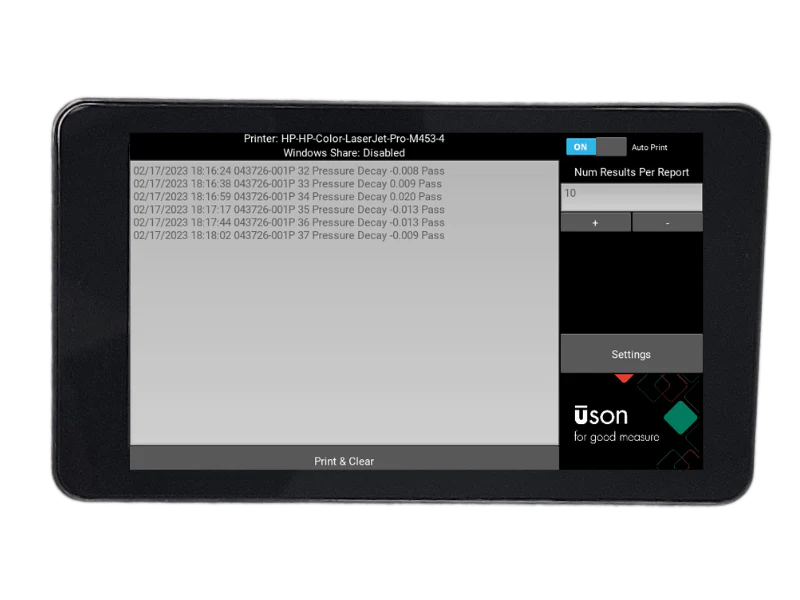
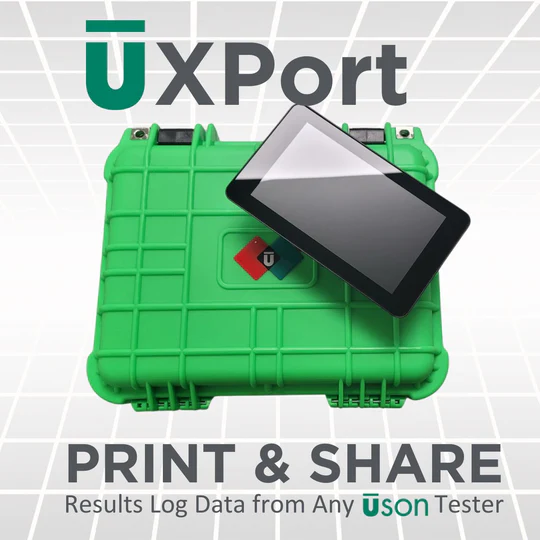
Uson by PAC’s new UXPort allows you to easily connect and print your results logs to a laser jet printer and produce standard size, easily readable reports and transfer the data to a windows file share.
What can UXPort do for you?
- Saves you thousands of dollars by extending capability of your existing testers.
- Saves you hours of manually reformatting log data into a readable format for signature, QA and record keeping.
- Improves efficiency allowing your results log data to be easily transferred to a share drive for archiving and reporting.
.
Tired of manually retyping results log reports from tiny printers to share and analyze your data?
UXPort uses RS232 communications protocol to extract and batch the results log data from your Uson tester and allows for printing the data on any modern printer using preformatted templates.
Need a quick and easy way to share results log data on your shared drive?
The same communications protocol used to send the results log data to your printer is used to send the data quickly and easily to the desired location on your shared drive.
Simple installation and operation
User friendly touch screen design and comprehensive setup instructions allows you to setup a UXPort for each of your Uson testers in minutes. Support is available where and when you need it. Our experts are available by phone and email to guide the installation process and answer your questions.
Specs
Operating System
Raspbian 10 (Buster)
Supported Outputs
RS232 serial port
Screen Resolution
720 x 480 pixels
Dimensions
7.75″ x 4.5″ x 1.75″
Report Template Output
A4 & Standard Letter
Interface
Wall Mount or Free Standing
Documentation
| Title | Description | |
| User Guide | UXPort Operator's Manual | Download |
Related Resources
 PAC Products
 Tech Notes
PAC Overview Brochure
Discover PAC’s comprehensive portfolio of solutions designed to elevate your laboratory operations, streamline process workflows, and deliver powerful digital insights. Download the full overview now...
Read More
Guide: Sustainable Fuels Outlook
PAC’s Sustainable Fuels Outlook provides an in-depth analysis of the current energy industry, where regional differences in the pace of transition and global uncertainty shape...
Read More
Transforming the Industry with PACe Digital Ecosystem
Transforming the Industry with PACe Digital Ecosystem.
Read More


